




When temporary internet fails during a major sports event, millions of viewers lose their connection to the action. The difference between a flawless broadcast and a media disaster often comes down to one factor: preparation timeline. During the 2024 NFL Draft in Detroit, which attracted over 775,000 attendees, Cronus Internet delivered bulletproof connectivity throughout the event, overcoming massive logistical hurdles, including deploying fiber on tight timelines and maintaining stable public Wi-Fi despite unpredictable surges in traffic.
Whether you’re planning a press conference, championship game, or multi-day tournament, this comprehensive guide reveals exactly when and how to secure temporary internet that won’t let you down when it matters most.
Understanding Media Event Internet Requirements
Bandwidth Demands for Modern Sports Broadcasting
Today’s sports events require exponentially more bandwidth than ever before. According to FCC guidelines for broadband speeds, a single 4K camera stream consumes 25-30 Mbps, while standard HD broadcasting needs 5-10 Mbps per stream. Media corporations rely on fiber systems to provide live updates, ratings, and observation to fanatics around the arena, ensuring those who cannot attend in person still get to see the action from their homes.
For a typical media-heavy sports event, consider these baseline requirements:
- Press box operations: 100-500 Mbps dedicated
- Live streaming platforms: 50-100 Mbps per stream
- Social media teams: 25-50 Mbps
- Digital scoring systems: 10-25 Mbps
- Public WiFi: 1-2 Mbps per connected device
Critical Infrastructure Components
Event WiFi extends far beyond simple internet access. The IEEE 802.11 standards define wireless networking protocols that enable creating a single, robust pipeline for delivering video from point to point, which requires broadcast-quality equipment including Sony Broadcast Cameras, HD Flypack equipment with multi-input switchers, graphics, and digital audio systems. Your temporary internet infrastructure must support:
- Redundant connections to prevent single points of failure
- Low latency networks for real-time broadcasting
- Scalable bandwidth that adjusts to peak demand
- Secure networks separating media, staff, and public access
- 24/7 monitoring with on-site technical support
The Essential Planning Timeline and Checklist
12-8 Months Before Event: Foundation Phase
The groundwork for successful event connectivity begins nearly a year in advance. According to event planning best practices from the International Association of Venue Managers, starting a year or more before the big day allows you to set a clear vision, align stakeholders, and lay the groundwork for success, rallying key internal stakeholders, including executive leadership, marketing, and sales teams.
Key Actions:
- Conduct site surveys to assess existing infrastructure
- Define bandwidth requirements for all user groups
- Identify venue limitations and dead zones
- Request proposals from internet service providers
- Establish preliminary budget allocations
Technical Assessments:
- Map out camera positions and broadcasting locations
- Calculate cumulative bandwidth needs
- Plan for 200% capacity to handle surge demand (Society of Broadcast Engineers recommends this buffer)
- Document power availability at key locations
6-4 Months Before Event: Contract Phase
The six- to nine-month mark is all about creating excitement, driving registrations, and ensuring your event is on everyone’s radar, with contracts outlining detailed deliverables, timelines, and contingency plans. This phase transforms plans into commitments.
Critical Tasks:
- Finalize service provider contracts
- Submit permit applications for temporary installations
- Coordinate with venue IT departments
- Schedule fiber installation or wireless deployment
- Secure backup connectivity options
Vendor Coordination:
- Lock in dedicated support technicians
- Confirm equipment delivery schedules
- Establish escalation procedures
- Review Service Level Agreements (SLAs)
3-2 Months Before Event: Implementation Phase
Determine and arrange all details regarding menu, A/V equipment, registration set-up, parking, and signage, while reviewing security needs and plans for the event with venue managers. This phase focuses on turning contracts into physical infrastructure.
Infrastructure Development:
- Begin temporary fiber installation if required
- Deploy wireless access points throughout the venue
- Install network monitoring systems
- Configure separate VLANs for different user groups
- Test backup failover systems
Coordination Requirements:
- Schedule load testing with broadcast teams
- Coordinate with security for equipment protection
- Plan cable routing to avoid foot traffic
- Arrange for generator backup power
1 Month Before Event: Testing Phase
The final month separates successful events from technical disasters. Have all committee chairs meet and confirm all details against the Master Plan, ensuring back-up plans are developed for any situation.
Testing Protocol:
- Conduct full-scale bandwidth stress tests
- Simulate peak usage scenarios
- Test every broadcast position
- Verify redundant connection failover
- Run complete backup system checks
Staff Preparation:
- Brief technical support team on event schedule
- Distribute network credentials to media teams
- Create troubleshooting quick reference guides
- Establish command center location
Event Week: Final Preparations
No later than 48 hours before the event, review roles and responsibilities for your on-site team on event day and finalize transportation for speakers and VIPs. The final week requires meticulous attention to detail.
48 Hours Before:
- Final connectivity testing from all locations
- Verify all access credentials
- Position backup equipment on-site
- Conduct technical team briefing
- Test emergency communication channels
24 Hours Before:
- Complete system health checks
- Deploy on-site technical staff
- Activate 24/7 monitoring
- Brief venue security on equipment locations
- Perform final speed tests
Event Day:
- Arrive 4 hours before first broadcast
- Run complete system diagnostics
- Position roaming technicians
- Monitor bandwidth usage in real-time
- Maintain hot spare equipment ready

Cronus Internet’s Proven Event Connectivity Solutions
Fixed Wireless for Rapid Deployment
When venues lack fiber infrastructure, Cronus Internet’s fixed wireless solutions deliver speeds up to 10 Gbps without construction delays. This technology proved invaluable during Detroit’s major sporting events, where traditional installation timelines wouldn’t meet event deadlines.
Fiber Connectivity for Maximum Reliability
For events demanding ultimate reliability, Cronus’s fiber internet services provide speeds up to 1 Tbps. The Fiber Broadband Association reports that fiber optic technology offers the most reliable connectivity solution available. The 2024 NFL Draft demonstrated this capability when Cronus deployed fiber on tight timelines while maintaining seamless, invisible, and absolutely essential connectivity throughout the event.
Mobile WiFi Solutions for Flexible Coverage
The Cronus Mobile WiFi Suitcase revolutionizes event connectivity by supporting up to 10,000 simultaneous connections within a 100-foot radius. Perfect for press conferences, outdoor venues, or overflow areas, this plug-and-play solution requires only a power source to deliver enterprise-grade connectivity.
SD-WAN for Instant Deployment
Cronus’s SD-WAN solutions offer immediate connectivity with speeds up to 300 Mbps, ideal for last-minute requirements or backup connections. As Gartner research indicates, SD-WAN technology provides agile, flexible networking solutions perfect for temporary deployments. No installation or construction required – simply plug in and connect.
Common Pitfalls and How to Avoid Them
Underestimating Bandwidth Requirements
Many hotels and conference centers do not provide adequate bandwidth for today’s multi-media and multi-device use, especially during peak hours or when booked to capacity. Always plan for 200% of calculated bandwidth needs to accommodate unexpected demand surges.
Insufficient Redundancy Planning
Single points of failure can destroy an entire broadcast. The National Institute of Standards and Technology (NIST) recommends implementing multiple redundancy layers:
- Primary and backup internet connections
- Separate power sources
- Duplicate critical equipment
- Alternative routing paths
Inadequate Testing Windows
Never assume infrastructure will work without testing. Network monitoring with live diagnostics and remote management ensures zero downtime during critical event moments. Schedule multiple testing windows, including peak load simulations.
Poor Vendor Communication
From pre-event meetings to travel planning, shipping gear, and any other logistical work requires ensuring everything is set up for your event’s success. Establish clear communication channels and regular check-ins with all vendors.
Real-World Success: Detroit’s Major Events
The 2024 NFL Draft demonstrated the importance of preparation when Cronus Internet delivered flawless connectivity for an event that drew over 775,000 attendees and generated 90 hours of broadcast coverage reaching more than 50 million viewers, as reported by the Detroit Sports Commission. The success required overcoming significant challenges, including deploying fiber on compressed timelines and managing unprecedented public WiFi demand.
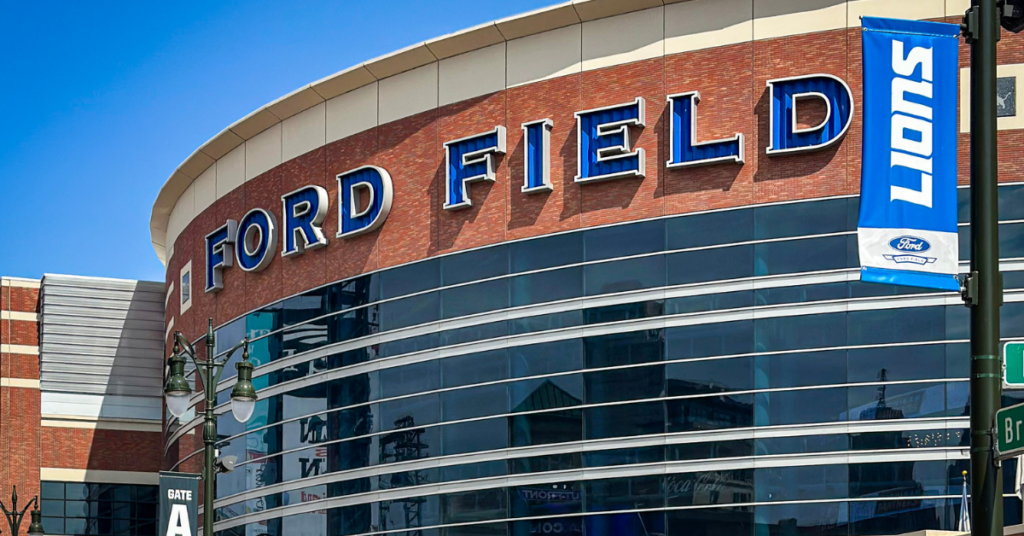
Detroit’s sports venues continue to rely on Cronus Internet for critical events. From Detroit Lions games at Ford Field to major tournaments throughout the metro area, Cronus’s temporary connection services have proven their reliability when failure isn’t an option.
Taking Action: Your Next Steps
Successful event connectivity begins with early planning and the right partner. Whether you’re organizing a local tournament or international broadcast, Cronus Internet provides scalable solutions tailored to your specific requirements.
Start your planning today by:
- Calculating your bandwidth requirements using our guidelines
- Reviewing your venue’s existing infrastructure
- Establishing your event timeline
- Contacting Cronus Internet for a customized solution
Don’t let inadequate internet infrastructure limit your event’s potential. Visit cronusc.com or call 844-799-9933 to discuss your temporary internet needs with Detroit’s premier event connectivity provider.
Frequently Asked Questions
Q: How far in advance should I start planning temporary internet for a major sports event?
A: For large-scale events with broadcasting requirements, begin planning 9-12 months in advance. Smaller events may only need 3-6 months of lead time, but earlier planning always provides more options and better pricing.
Q: What’s the minimum bandwidth needed for live streaming a sports event?
A: According to ITU-T broadcasting standards, a single HD stream requires 5-10 Mbps upload speed, while 4K streaming needs 25-30 Mbps. Always plan for redundancy and multiple streams, so multiply your requirements by at least 2-3 times.
Q: Can temporary internet handle thousands of concurrent users?
A: Yes, with proper infrastructure. Cronus Internet’s solutions have successfully supported events with over 10,000 simultaneous connections using a combination of fiber, fixed wireless, and mobile WiFi technologies.
Q: What happens if the primary internet connection fails during an event?
A: Professional temporary internet services include automatic failover to backup connections. Cronus Internet provides redundant connections that switch instantly if the primary line experiences issues, ensuring uninterrupted broadcasting.
Q: How quickly can temporary internet be deployed for an emergency or last-minute event?
A: Cronus Internet’s SD-WAN and mobile WiFi solutions can be deployed within 24-48 hours. Fixed wireless typically requires 1-2 weeks, while fiber installation may need 4-6 weeks, depending on the location.
Q: Is temporary internet more expensive than regular business internet?
A: While temporary internet has higher daily rates, it’s cost-effective for short-term needs because there are no long-term contracts, installation fees are often waived, and you only pay for the duration needed.