

























Many Detroit businesses close or run with a skeleton crew over Thanksgiving and the end of the year. A building that sits quiet for a few days can hide problems that nobody notices until the doors open again. A quick checklist before you lock up keeps your systems safe and makes reopening easy.
Before You Leave
- Finish updates now, not later: install pending computer and software updates before you close, so machines are not restarting halfway through an update while nobody is there.
- Shut down what you do not need: turn off workstations, printers and displays that do not need to run. Leave on your internet equipment, phones, cameras, alarms and anything that must stay connected.
- Check your backups: confirm your last backup actually finished and that you can restore a file from it.
- Set up call forwarding and greetings: update your phone greeting with your holiday hours and forward calls to a cell phone or voicemail.
- Turn on email auto-replies with your hours and an emergency contact.
Protect the Building’s Systems
Cameras, alarm panels, door access and point-of-sale systems all depend on your internet connection. If the connection drops while you are closed, you may not find out until you return.
- Battery backup: make sure your router, switches and modem are on a battery backup that is not beeping or overdue for replacement.
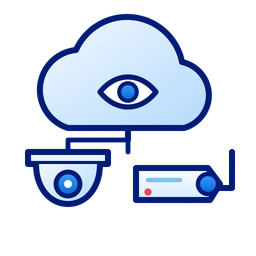
- Remote access: confirm you can view your cameras and reach important systems from your phone before you leave.
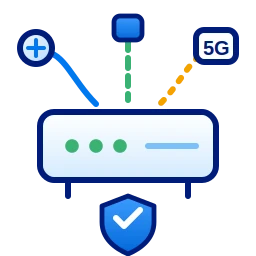
- A backup connection: 5G backup internet keeps cameras, alarms and remote access online if your main line goes down while the building is empty.
Make Sure Someone Can Respond
Decide before you close who gets the call if an alarm trips, a camera goes dark or the heat fails, and make sure that person has the keys, alarm codes and your providers’ support numbers. Post the list somewhere your team can find it, not just in an email that nobody can reach when the office computers are off.
Before You Reopen
- Restart your computers and check that updates installed cleanly.
- Test your card readers and point-of-sale system before the first customer walks in.
- Turn off holiday greetings and auto-replies.
How Cronus Helps
Cronus monitors your business internet and network equipment 24/7 from our Detroit network operations center, including holidays. If your connection, cameras or equipment go offline while you are closed, our team sees it and gets to work, so you are not walking into a problem when you come back.
Frequently Asked Questions
Should I turn off my internet router while we are closed?
No. Leave your router, modem and network switches on so cameras, alarms, phones and remote access keep working.
Do my cameras still record if the internet goes down?
Most cameras keep recording locally, but you lose remote viewing and alerts until the connection comes back. A backup connection prevents that gap.
Who do I call if something breaks over the holiday?
Cronus customers can reach our support team around the clock, including holidays, at (844) 493-7955.