





































Updated October 2026 · For small business owners
For a small business, the internet is the cash register, the phone line and the filing cabinet. When it slows down or drops, sales and productivity stop. Yet many small businesses still run on a home-style plan that was never built for that job.
Here is what a small business actually needs from its internet, what it costs and how to choose.
- Small businesses need reliable uploads, not just fast downloads.
- A backup connection protects card payments and phones.
- Separate guest and business Wi-Fi protects your systems.
- Local support shortens outages.
What Small Businesses Use the Internet For
- Card payments and point-of-sale.
- Cloud accounting, scheduling and email.
- Phones over the internet (VoIP).
- Security cameras.
- Customer Wi-Fi.

How Much Speed a Small Business Needs
| Business | Typical dedicated speed |
|---|---|
| 1 to 5 employees | 50 to 100 Mbps |
| 5 to 20 employees | 100 to 300 Mbps |
| Cloud, video and cameras | 300 Mbps and up |
Symmetrical speeds matter more than the download number on the ad, because video calls, cameras and backups all send data out.
Home Plans vs Business Internet
| Home-style plan | Business internet | |
|---|---|---|
| Speed | Up to, shared | Guaranteed options |
| Upload | Low | Symmetrical options |
| Support | National call center | Business support, faster response |
| Static IPs | Rarely | Available |
| Backup | No | Optional automatic failover |
Protect Against Downtime
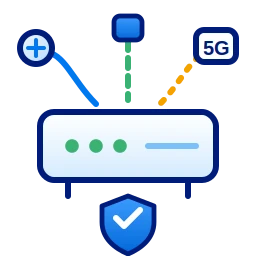
A second connection, such as 5G SD-WAN, switches on automatically if your main line fails, so payments and phones keep working. For most small businesses, a single day offline costs more than a year of backup.
Wi-Fi and Phones
Keep customer Wi-Fi on a separate network from your registers and computers. If you are moving phones to VoIP, put them on the same reliable connection with call quality prioritized. Cronus provides business phone service and managed Wi-Fi with your internet.

Common Small Business Internet Mistakes
- Buying a home plan to save money, then losing sales during outages.
- Putting customer Wi-Fi on the same network as registers and computers.
- Ignoring upload speed until video calls start freezing.
- Using an old router that cannot keep up with the plan.
- Having no backup for card payments.
Planning for Growth
A plan that fits five employees may not fit fifteen. Choose a provider that can upgrade speed without new construction and that offers phones, Wi-Fi and backup in one place. Review your usage once a year, especially after adding cameras, cloud software or staff, so the connection never becomes the bottleneck.
Small Business Internet Checklist
- Guaranteed speed with good upload.
- Clear pricing with no surprise fees.
- Backup option for payments and phones.
- Separate guest Wi-Fi.
- Local support that answers.
Cronus serves small businesses across Detroit with fixed wireless internet in Detroit, dedicated fiber and 24/7 local support.
Get small business internet that just works
Talk to a local team and get a clear quote.
Frequently Asked Questions
What is the best internet for a small business?
A plan with reliable, symmetrical speeds, business support and an optional backup connection. Fixed wireless and fiber are strong choices in Detroit.
Do small businesses need a static IP?
Only if you host servers, use certain remote-access tools or cameras. Many providers offer static IPs as an add-on.
How much does small business internet cost?
It depends on speed and connection type. Business plans cost more than home plans but include better support and guaranteed options.