










































Updated October 2026 · For retail owners and multi-location operators
Retail runs on the internet: card payments, inventory, online orders, buy-online-pickup-in-store, cameras and customer Wi-Fi. Surveys of retailers have long found that most still suffer connectivity problems, and every minute offline at the register is lost revenue.
This guide covers what stores and chains need to stay online.
- Payment systems need reliable, secure connections and backup.
- E-commerce and in-store systems now depend on each other.
- Guest Wi-Fi must be separate from payment networks.
- Chains benefit from managing every location centrally.
Why Outages Hurt Retail
When the connection drops, card readers stop, online orders cannot sync and staff cannot check inventory. Many retailers still rely on a single connection, so one cut cable can close the register for hours.

What Stores Need
| System | Need |
|---|---|
| Card payments | Reliability, security, backup |
| Inventory and POS | Cloud access all day |
| E-commerce and pickup | Real-time inventory sync |
| Cameras | Upload capacity |
| Guest Wi-Fi | Separate, limited network |
Backup Is Essential
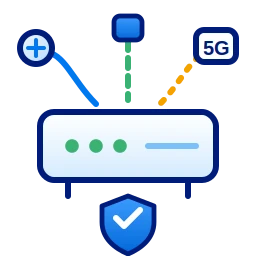
Add 5G SD-WAN or another diverse connection with automatic failover so payments keep working during outages. Read more about backup internet.
E-Commerce Growth Depends on Stores
Online sales, curbside pickup and ship-from-store all depend on accurate, real-time inventory. A fast, reliable store connection keeps online and in-store systems in sync and prevents overselling.

Guest Wi-Fi as a Retail Tool
Customer Wi-Fi keeps shoppers in the store longer and helps them check product details and reviews. A branded login page can collect emails for promotions and share offers. Keep it on its own network with limited speed so it never slows down payments.
Security and Payment Compliance
- Keep payment systems on an isolated network.
- Use a managed firewall at every location.
- Update registers, routers and cameras regularly.
- Restrict remote access to approved vendors.
What a Retail Outage Costs
Add up lost transactions per hour, abandoned online orders that cannot be fulfilled and staff time spent waiting. For most stores, a single busy afternoon offline costs more than a year of backup service.
Managing Many Locations
- Consistent equipment and settings at every store.
- Central monitoring and alerts.
- SD-WAN to combine connections and prioritize payments.
- One provider and one support line.
Keep every store online
Get a plan for one store or your whole chain.
Frequently Asked Questions
What internet does a retail store need?
A reliable primary connection, automatic backup for payments, and separate guest Wi-Fi.
How do chains manage internet at many stores?
With consistent equipment, central monitoring and SD-WAN to manage connections and failover.
Is guest Wi-Fi safe for retail stores?
Yes, if it is on a separate network that cannot reach payment systems.